The National Scholarship Portal (NSP) is a government platform that helps students from different backgrounds receive financial support for their education. After applying for a scholarship, many students ask one common question: how to check NSP scholarship payment status?
If you are also waiting for your scholarship amount, this blog will guide you step by step on how to check your NSP scholarship payment status online using official and safe methods.
What Is NSP Scholarship Payment Status?
NSP scholarship payment status shows whether:
- Your scholarship application is approved
- The payment has been processed
- The money has been credited to your bank account
The scholarship amount is transferred directly to the student’s bank account through PFMS (Public Financial Management System).
Important Things to Keep Ready Before Checking Status
Before you check your payment status, keep these details ready:
- NSP Application ID
- Bank account number
- Bank name
- Aadhaar-linked bank account (recommended)
Correct details help avoid confusion and delays.
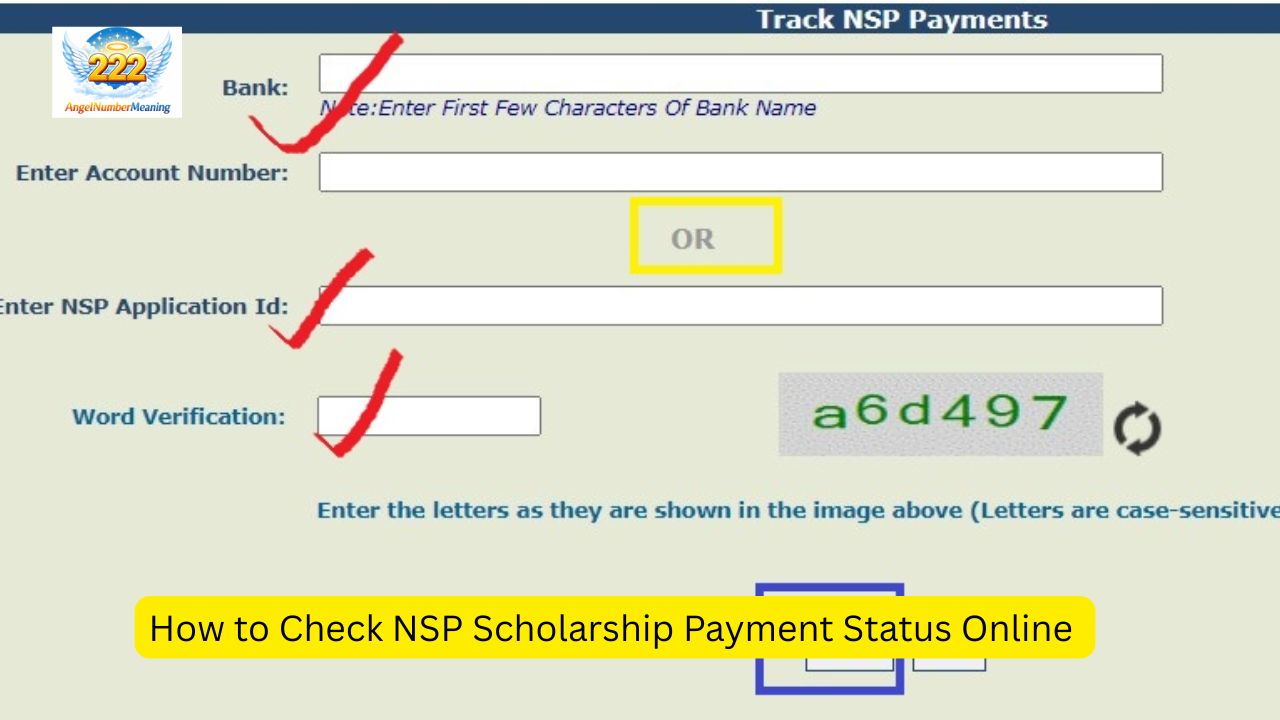
Method 1: Check NSP Scholarship Payment Status on PFMS Portal
The PFMS portal is the most reliable way to check whether your scholarship money has been released.
Step-by-Step Process:
- Open your browser and visit the PFMS official website
- On the homepage, find the option “Track NSP Payments”
- Click on it to open the payment tracking page
- Enter the required details:
- Bank name
- Bank account number
- NSP application ID
- Captcha code
- Click on Search
After submitting the details, your scholarship payment status will appear on the screen.
Method 2: Check NSP Application Status on NSP Portal
You can also check your application and payment progress through the National Scholarship Portal dashboard.
Steps to Follow:
- Visit the official NSP website
- Click on Student Login
- Enter your:
- Application ID (or OTR ID)
- Password
- Captcha code
- Log in to your dashboard
- Click on Track Application Status
Here you can see:
- Application verification status
- Approval status
- Whether payment is initiated or pending
Method 3: Check NSP Status Using UMANG App
Students can also use the UMANG mobile app to track scholarship status.
How to Use UMANG App:
- Download the UMANG app from Play Store or App Store
- Open the app and search for National Scholarship Portal
- Select the NSP service
- Enter your application details
- View your payment and application status
This method is useful for students who prefer mobile access.
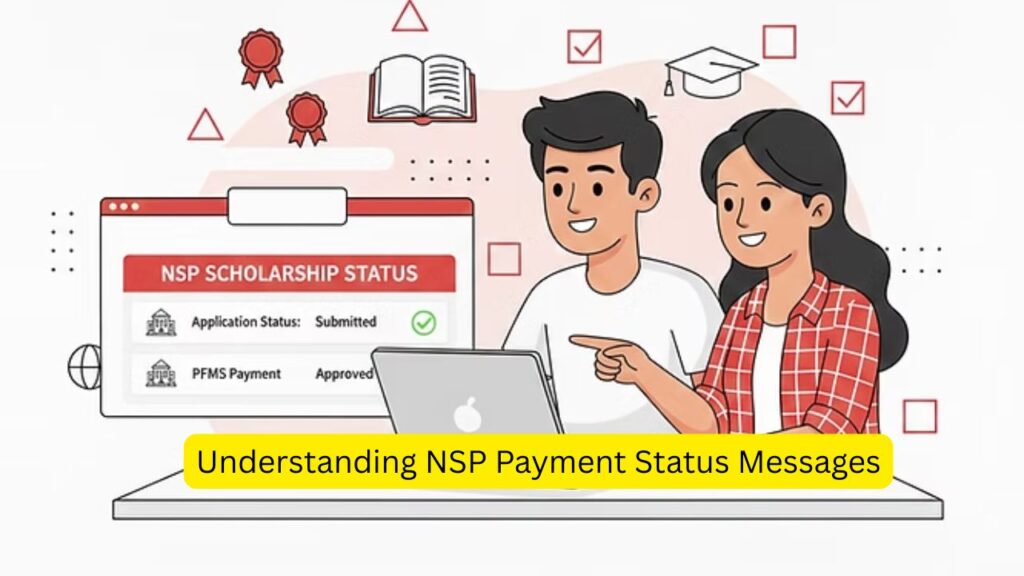
Understanding NSP Payment Status Messages
When you check your NSP payment status, you may see different messages. Here’s what they mean:
✔ Processing / Under Process
Your scholarship payment is being prepared. The amount has not yet been credited.
✔ Payment Released / Success
The scholarship amount has been sent to your bank account. Check your bank balance.
✔ Payment Failed
The transfer failed due to:
- Incorrect bank details
- Inactive bank account
- Aadhaar not linked
You may need to correct your details.
✔ No Record Found
This means payment has not been initiated yet or details entered are incorrect.
What to Do If NSP Scholarship Payment Is Delayed?
If your payment is delayed, follow these steps:
- Check that your bank account is active
- Ensure Aadhaar is linked with your bank account
- Confirm that all verification stages (institute, district, state) are completed
- Recheck PFMS status after a few days
Scholarship payments are released in phases, so delays are common.
Common Reasons for NSP Payment Failure
Some common reasons include:
- Wrong bank account number
- Bank account not linked with Aadhaar
- Incomplete verification
- Technical issues
Always update correct details on the NSP portal.
NSP Helpdesk Support
If the issue continues, students can contact the NSP helpdesk:
- Use the Helpdesk option on the NSP portal
- Contact your educational institute
- Reach out to your bank branch
They can guide you on resolving payment problems.
Tips for Students Applying for NSP Scholarships
- Always apply before the deadline
- Double-check bank details
- Keep your application ID safe
- Regularly check status on NSP and PFMS
- Avoid fake websites or agents
Read also:-
- How to Apply for DAAD Scholarship: Complete Step-by-Step Guide
- How to Apply for DAAD Scholarship: Complete Step-by-Step Guide
Final Words:-
Checking your NSP scholarship payment status is simple if you follow the correct steps. The PFMS portal is the best way to confirm whether your scholarship money has been credited. The NSP dashboard and UMANG app also help you track progress.
If your payment is delayed, do not panic. Most payments are released gradually. Keep checking your status and ensure all details are correct.